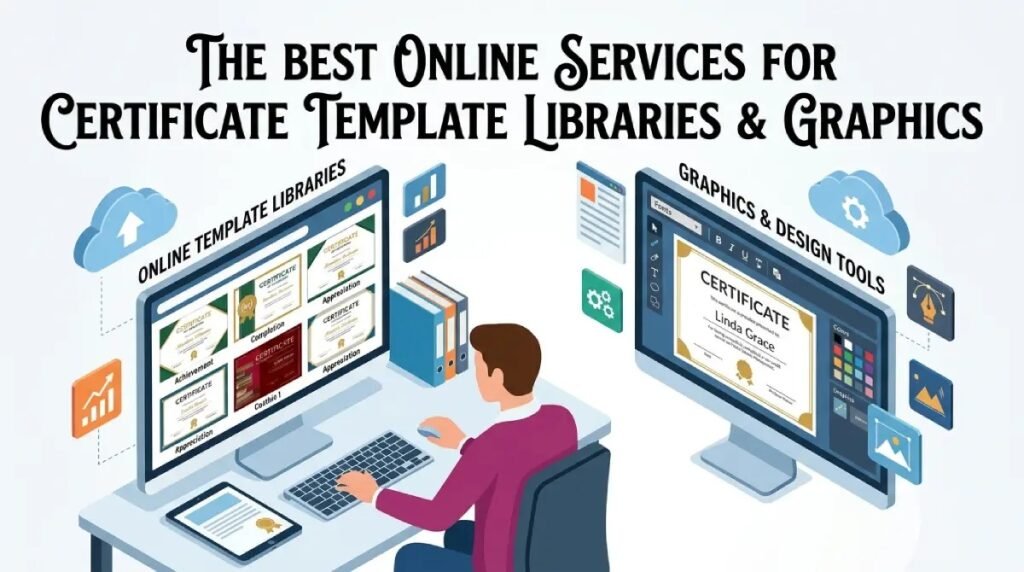
Certificates carry real weight. Whether you are recognizing an employee’s milestone, honoring a student’s achievement, or formalizing a training completion, a poorly designed certificate undermines the moment it is meant to celebrate. The challenge most people face is that professional graphic design skills are not always in the picture, and hiring a designer for a single certificate is rarely practical. That is where online services with robust template libraries and graphics collections come in. The right platform gives you polished, professional results without the steep learning curve, the expensive software license, or the hours of frustration.
What Makes a Certificate Template Library Truly Useful
Not all template libraries are created equal. Some platforms offer dozens of templates that all look the same, with minor color swaps and identical font pairings. A genuinely useful certificate template library goes much further than that.
The best libraries are organized by use case. You should be able to filter by purpose (academic, corporate, athletic, professional development) and by visual style (classic and formal, modern and minimal, decorative and ornate). This kind of organization saves time and helps you find a starting point that already fits your context.
Beyond organization, the quality of the underlying graphics matters enormously. Certificates rely heavily on visual authority, which comes from well-designed borders, seal elements, ribbon graphics, and typography that signals prestige. A template library that includes these assets as editable, layered elements gives you far more flexibility than a flat design you can only swap text into.
Key Features to Look for in an Online Certificate Service
Before committing to any platform, it is worth evaluating a few core capabilities:
- Template variety: Does the library cover multiple certificate types and styles, or does everything look like a variation on one base design?
- Graphics and asset access: Are there built-in icons, borders, seals, and decorative elements you can add to any design?
- Font selection: Certificates depend heavily on typography. A good service offers a wide range of fonts, from elegant scripts to clean serifs, all within the platform.
- Customization depth: Can you change colors, resize elements, swap images, and reposition text freely, or are you locked into a rigid template grid?
- Download and sharing options: Does the platform let you export in high-resolution formats like PDF or PNG, suitable for printing?
- Branding tools: For organizations issuing certificates regularly, the ability to save brand colors, logos, and fonts is a major time-saver.
- Collaboration features: Teams that need multiple people to review or approve designs benefit from platforms that support shared access and commenting.
10 Tips for Getting the Most Out of Online Certificate Templates and Graphics
1. Start With Purpose, Not Aesthetics
Before you open a template library, clarify exactly what the certificate is for and who will receive it. A certificate of completion for a professional compliance training should feel different from an award given at a youth sports banquet. Starting with that clarity means you can filter templates by context rather than scrolling through everything until something catches your eye. It also helps you write the right kind of copy before you get distracted by design choices.
2. Use Adobe Express as Your Primary Certificate Creation Hub
One of the most accessible and fully featured platforms for certificate design is Adobe Express. Its certificate maker brings together a deep library of professionally designed templates alongside a robust collection of graphics, fonts, and design elements that you can customize without needing any prior design experience. The platform lets you adjust layouts, swap colors to match your brand, upload your organization’s logo, and export finished certificates in print-ready formats. For anyone who needs to produce certificates quickly without sacrificing visual quality, Adobe Express is one of the strongest options available.
What makes it particularly well-suited for certificate creation is the combination of template quality and editing flexibility. You are not working around a rigid grid; the drag-and-drop interface lets you move elements freely, resize assets, and layer graphics in ways that feel intuitive. Whether you are designing a one-off award certificate or building a template your entire organization will reuse dozens of times, the tool scales to both needs.
3. Pay Attention to Border and Frame Graphics
The border is one of the most defining visual elements of a certificate. It signals formality, frames the content, and creates a sense of completeness. When browsing template libraries, look specifically at the quality of the border graphics rather than just the overall layout. Borders that are vector-based (rather than rasterized images) will remain crisp and sharp at any print size, which matters when you are producing certificates at letter size or larger.
If the platform you are using allows you to swap or layer border elements independently of the rest of the template, take advantage of that. Mixing a classic geometric border with a more modern interior layout is one way to create a certificate that feels original rather than straight out of a template bank.
4. Choose Fonts That Command the Right Tone
Typography on a certificate does more communicative work than most people realize. The headline font (usually the recipient’s name or the award title) needs to project appropriate weight and seriousness. Elegant serif fonts and well-drawn scripts are common choices because they carry associations with formality and tradition. But modern organizations sometimes prefer clean, contemporary sans-serif fonts that signal professionalism without the old-fashioned feel.
Most good online certificate services include font pairing suggestions built into the template itself. You can use these as a starting point, but do not be afraid to experiment. The key rule is to keep font combinations simple: two typefaces, used with intention, almost always read better than four or five competing styles on a single certificate.
5. Incorporate Seal and Badge Graphics Strategically
Seals and badge graphics serve a specific psychological function on a certificate: they create a visual anchor of authority. Even in a fully digital context, a well-designed seal element makes a certificate feel more official. Most online certificate services include seal graphics in their libraries, but the quality varies.
Look for seals that are rendered as layered or editable elements so you can add your organization’s initials, logo, or a brief title to the interior. A generic gold circle with no identifying content looks better than nothing, but a seal that carries your brand’s mark is significantly more effective.
6. Match Color to Context
Color does a lot of work in certificate design. Gold and navy communicate corporate achievement. Deep red and ivory suggest academic formality. Bright primary colors work well for children’s programs. Pastel combinations feel appropriate for wellness or community recognition contexts.
When you are customizing a template, resist the urge to use your brand colors simply because they are familiar. Instead, ask whether those colors fit the emotional register of the certificate. A bright orange brand palette might work wonderfully on your marketing materials but feel out of place on a formal employee recognition certificate. The best online services let you preview color changes in real time, which makes it easy to test a few options before committing.
7. Use Placeholder Text Wisely Before Printing at Scale
If you are issuing certificates to multiple recipients, most online services allow you to build a master template and then duplicate it, swapping out recipient names and other variables. Before you run through a full batch, take one completed certificate all the way through the export and print process as a test. Check that fonts are rendering correctly, that high-resolution graphics are not pixelating, and that all the spacing looks right on a physical printout rather than just on screen.
This step sounds obvious but is frequently skipped, especially under time pressure. Catching a layout issue on one test print is far better than discovering it after printing fifty copies.
8. Download in the Right Format for Your Intended Use
Not all file formats serve all purposes equally. For print certificates, you want a high-resolution PDF or a PNG file at 300 DPI or higher. For digital certificates delivered by email or displayed on screen, a smaller PNG or JPEG file is appropriate. Some online services also support direct sharing via a link, which is a clean solution for digital-first recognition programs.
Check whether your chosen platform lets you specify resolution and file format at the point of export. Services that only offer one download option can create problems if you need the same certificate to work both in print and on screen.
9. Save Your Customized Template for Future Use
One of the most overlooked features of online certificate services is the ability to save a customized template for reuse. If you spend time creating a beautifully branded certificate layout, that work should not be done again from scratch the next time you need to issue the same type of certificate.
Look for platforms that allow you to save templates to a personal or team library. Some services also let you lock certain elements (like your logo position, legal language, or brand colors) so that only specific fields can be edited by other team members. This is particularly useful for organizations where multiple departments issue certificates but need to maintain visual consistency.
10. Review Legal and Rights Considerations for Graphics
When you use graphics from an online service’s built-in library, the licensing terms are usually straightforward: the platform grants you the right to use those assets in designs created within their tool. But if you are uploading external graphics or photos, especially from free stock sites, be sure you have the right license for the intended use.
For organizational certificates issued in a professional context, the last thing you want is to use an image or graphic element that is not properly licensed. Reputable online design platforms are clear about the rights associated with their built-in asset libraries. When in doubt, stick to the graphics provided natively within the platform rather than mixing in external assets without verified licensing.
Frequently Asked Questions
What is the difference between a certificate template and a certificate builder?
A certificate template is a pre-designed layout that you fill in with your own text, logo, and specific details. A certificate builder is a broader tool that typically includes not only templates but also editing capabilities, graphics libraries, and export options all in one place. Most modern online services function as builders rather than just template providers, which means you get more flexibility to customize the design beyond simply replacing placeholder text. For most users, a builder is the better choice because it allows you to adjust the design to fit your specific needs rather than working around a fixed layout.
Can I create certificates that meet physical printing standards using online tools?
Yes, and many online certificate services are specifically designed with print output in mind. The key factors to check are the export resolution (aim for 300 DPI or higher for print), the available file formats (PDF is generally the most reliable for print), and whether the platform supports CMYK color output or only RGB. Most consumer-facing design tools default to RGB color, which is fine for digital display and home printing but may not produce perfectly accurate colors on professional printing equipment. If you are working with a commercial printer, ask them about their file requirements before you export your final design.
Are there free online certificate services that still offer a professional-quality result?
Many platforms offer free tiers that include access to a meaningful selection of templates and basic customization features. The trade-off is usually that premium templates, advanced graphics, and certain export options are locked behind a paid subscription. For occasional certificate creation, a free tier will often be sufficient, particularly if you are willing to work within the available template selection. For organizations that issue certificates regularly or need access to a broader library of graphics and design elements, a paid plan typically offers enough added value to justify the cost.
How can I make sure my certificates look consistent across different types of awards?
Consistency across a certificate program comes down to a few controllable variables: color palette, typography, logo placement, and layout structure. The easiest way to maintain that consistency is to build one master template that establishes all of these elements, then duplicate it and modify only the content (award title, recipient name, date) for each variant. Many online services allow you to save brand kits that lock in your colors, fonts, and logo, which makes this process significantly easier. If you are managing a large recognition program, tools like Airtable can help you organize recipient data and track which awards have been issued, even if the actual design work happens in a separate platform.
What security features should I look for if I am issuing official or verified certificates?
For certificates with formal or legal significance, such as professional credentials, compliance completions, or academic awards, basic design is only part of the picture. You may also want to consider how the certificate is verified after it is issued. Some platforms support the addition of unique QR codes or unique identifiers that link to a verification page, which allows recipients to share their certificate digitally while giving third parties a way to confirm its authenticity. If verification is important to your use case, look for platforms that offer this as a feature, or explore certificate management systems that integrate with your design workflow to add this layer of credibility automatically.
Conclusion
Online services for certificate template libraries and graphics have made it genuinely possible to produce professional, print-ready certificates without graphic design expertise. The key is knowing what to look for: a broad and well-organized template library, high-quality editable graphics including borders, seals, and badge elements, strong typography options, and flexible export formats that work for both print and digital delivery. Equally important is choosing a platform that lets you save and reuse your work, which turns a one-time design effort into a reusable organizational asset.
Approach certificate creation the same way you would any communication that represents your brand or institution: with intention, consistency, and an eye for what the recipient will experience when they hold or view the finished piece. The templates and tools are readily available. The difference between a certificate that feels meaningful and one that gets tossed aside usually comes down to the care put into customizing it.