Accidentally formatted your hard drive? Read this article to learn why your data might still be recoverable and the fastest ways to get your files back from HDDs, SSDs, USB drives, and SD cards.
Formatting a hard drive, USB stick, SD card, or any external storage device by mistake is a common and gut-wrenching error. One wrong click, an unexpected system prompt demanding you format a disk before use, or a slip during an OS reinstall can erase thousands of family photos, critical work documents, personal videos, and important projects in seconds. Most people assume that formatting permanently destroys everything stored on the drive.
However, the well-supported answer is this: in the vast majority of cases, you can recover files from formatted hard drives successfully.
Whether you formatted a traditional spinning HDD, a portable USB flash drive, a camera SD card, or even a modern solid-state drive (SSD), your lost files are often still recoverable.
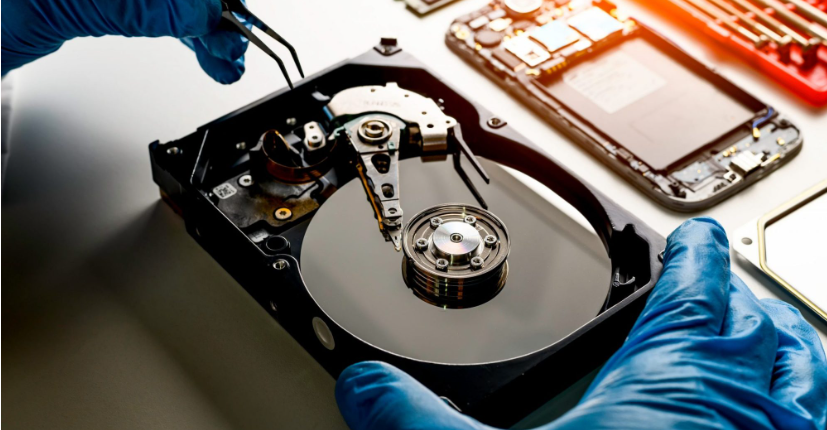
Is It Possible to Recover Files After Formatting?
To understand how to recover files after formatting a drive, you first need to grasp what formatting actually does. The biggest misconception is that formatting wipes all data permanently. In reality, a standard quick format does no such thing.
Formatting only erases the file system index, a small database that tells your computer exactly where every photo, document, and folder resides on the disk. The actual raw data remains intact, sitting silently in the storage sectors. It’s invisible to your system, but it hasn’t been deleted.
Whether you can recover data after formatting depends on three critical factors:
- If you save new files, photos, or software onto the formatted drive, the old data gets overwritten and becomes unrecoverable.
- Traditional HDDs offer a near-100% chance of recovery, while SSDs with TRIM enabled have lower success rates after formatting.
- The longer you use the formatted device, the higher the risk of permanent data loss.
Also Read: Solar Battery vs Generator: Which Backup Actually Keeps Your Lights On?Why Does Data Get Accidentally Formatted?
Accidental formatting happens more often than you’d think. Knowing your specific situation helps you pick the fastest recovery approach:
- Right-clicking a USB drive or external HDD and hitting “Format” without a backup.
- During Windows setup, it’s easy to format your secondary data drive instead of the system partition.
- Cameras, drones, and GoPros frequently format SD cards internally, wiping travel videos and RAW photos instantly.
- Modern laptops and external SSDs may have auto-TRIM enabled, which gradually erases residual data after formatting if left unchecked.
- SD cards and external drives often show “You need to format the disk before you can use it” – many users click OK out of frustration.
Whatever scenario you face, acting immediately and using reliable recovery software dramatically improves your chances of recovering lost files.
How to Recover Data from a Formatted Hard Drive?
Here’s a detailed, beginner-friendly guide covering three proven methods.
Method 1: Restore from Backup
Backups remain the simplest and safest way to recover files after formatting a drive, no third-party tools required. If you maintain regular backups, this is your gold standard.
- Windows users: Access File History or use Backup and Restore. Pick a restore point created before the accidental format, and restore folders, documents, and media to a safe local drive.
- Mac users: Launch Time Machine, browse your backup timeline, and recover formatted files and folders from saved snapshots.
- Cloud and external backups: If you store files on Google Drive, OneDrive, or an external disk, simply re-download or copy them back. While effective, this only works for proactive users, and most people facing formatting disasters don’t have recent backups.
Method 2: Recover Data with Professional Tools
For those without backups, RecoveryFox AI is our top-tested tool for recovering files from formatted drives. Here’s why I recommend it:
- Perfectly optimized for beginners, zero technical knowledge required.
- Supports all major storage types: HDD, SSD, USB, SD, microSD, external drives, and camera storage.
- Recovers every common file format: Word, Excel, PDF, JPG, PNG, MP4, MOV, RAW camera files, and audio.
- You only pay after previewing your files successfully.
Download and install RecoveryFox AI, then follow these steps:
Step 1: Connect your formatted USB, SD card, or external HDD via a reliable card reader or USB port. Select the formatted storage device from the on-screen drive list.
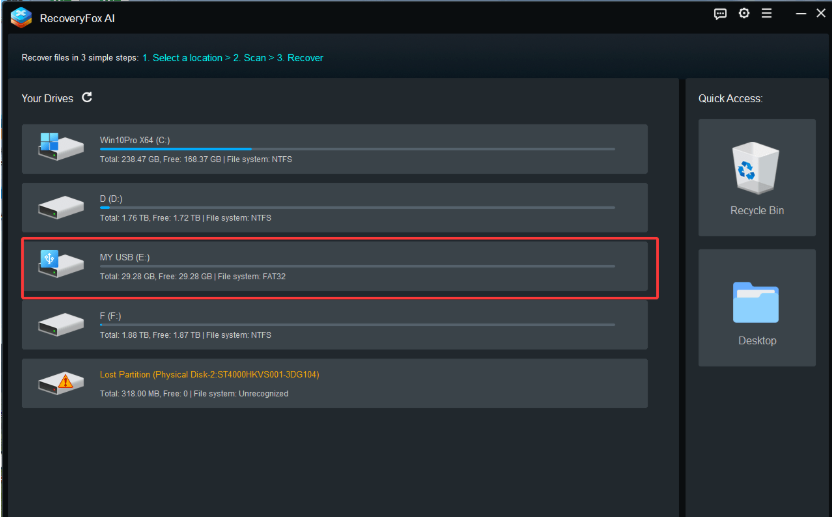
Step 2: Click the ” Click to Scan” button.
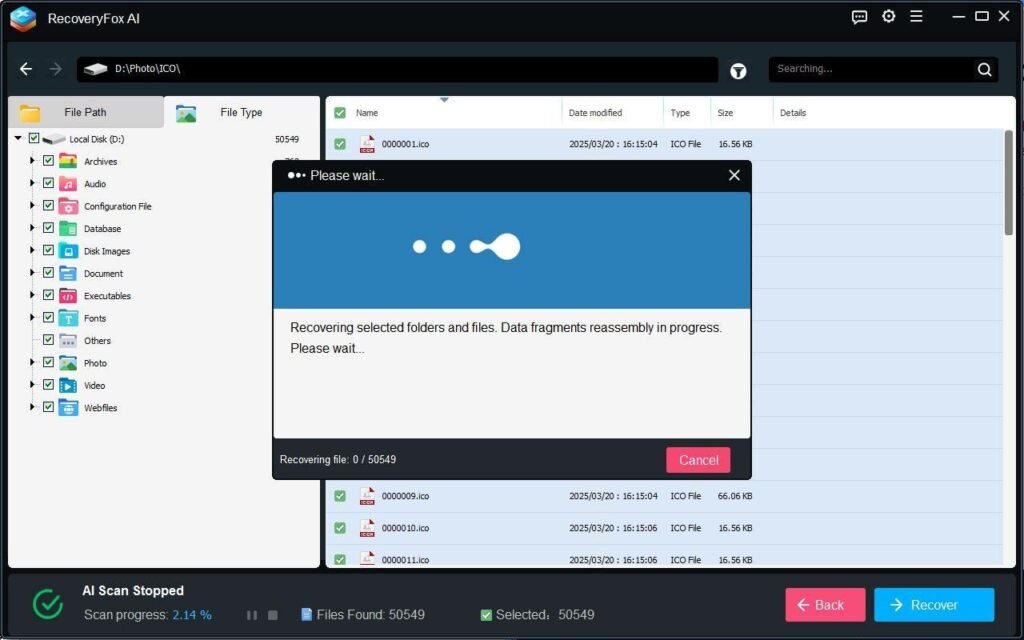
Quick Scan is designed to find recently lost files from a formatted drive, while AI Scan can detect formatted data that was lost months or even years ago. Please be patient and allow the scan to complete so that all recoverable formatted files can be found and restored.

Step 3: Filter results by file type, images, videos, documents, or archives, to quickly locate what you need. Preview each file to confirm it opens correctly.

Finally, select your files and click “Recover.” Important: Save the recovered content to a different drive.
Method 3: Use a Professional Data Recovery Service
If your drive has physical damage, severe overwriting, or contains business-critical data worth hundreds or thousands of dollars, professional recovery services are a last resort. Technicians use specialised hardware and cleanroom environments to repair damaged media.
However, costs start at around $150, and complex SSD recoveries can exceed $500. For most home users and small businesses, a powerful DIY tool like RecoveryFox AI delivers the same results at a fraction of the price.
How to Prevent Accidental Formatting?
Prevention beats cure every time. These simple habits can help you avoid formatting-related data loss entirely:
- Enable built-in backups.
- Back up camera and phone media to cloud storage or external drives immediately after each shoot.
- Don’t click “Format” when error prompts appear, safely eject and reconnect the device first to resolve minor glitches.
- Adopt daily backup routines to eliminate the stress of sudden data loss and reduce reliance on emergency recovery tools.
Conclusion
Can you recover data after formatting? The answer is a resounding yes for nearly every common user scenario. Formatting doesn’t permanently delete your files, it simply hides them. As long as you stop using the affected storage device immediately and leverage professional data recovery software like RecoveryFox AI, that residual data can be brought back.