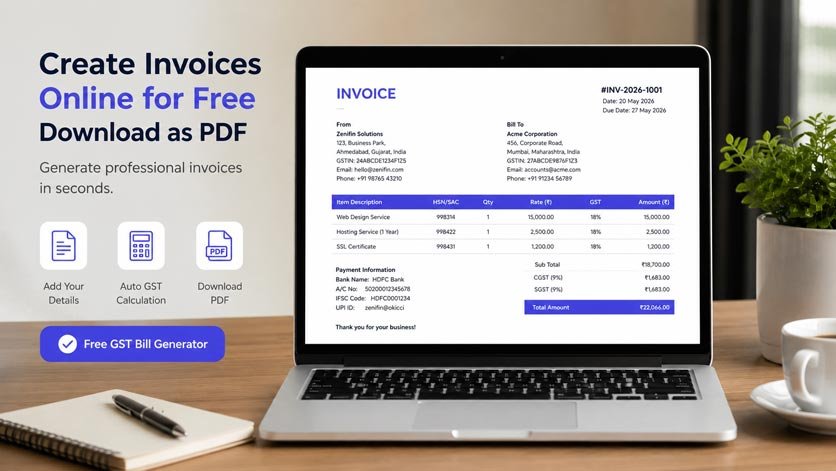
Creating an invoice should not be a difficult or time-consuming task. Whether you are a freelancer, shop owner, consultant, service provider, agency owner, or small business owner, you need a proper invoice to collect payments and keep a clear record of your sales.
Many people still create invoices manually using Microsoft Word, Excel, or Google Docs. While these tools can work, formatting every invoice, calculating GST, adding customer information, and converting the file into PDF can take unnecessary time.
A simpler solution is to use an online invoice generator.
With a free GST bill generator, you can enter your business details, add customer information, list products or services, calculate tax, and download the final invoice as a PDF. The entire process can be completed in just a few minutes.
You can use Billzot.com free online invoice generator to create a professional invoice without installing complicated billing software.
This guide explains how to create an invoice online for free, what details you should include, how GST invoices work, and why downloading invoices in PDF format is useful for businesses.
What Is an Online Invoice Generator?
An online invoice generator is a simple web-based tool that helps you prepare professional invoices from your phone, laptop, tablet, or desktop computer.
Instead of creating a new document and designing the invoice manually, you only need to fill in the required information.
This may include:
- Your business name and address
- Customer details
- Invoice number
- Invoice date
- Product or service description
- Quantity and price
- GST rate
- Discount
- Payment information
Once you enter the details, the tool calculates the total amount and prepares the invoice in a clean format.
You can then download the invoice as a PDF, print it, email it to your customer, or send it through WhatsApp.
For businesses in India, an online GST invoice generator can also help add tax-related details such as GSTIN, CGST, SGST, IGST, HSN codes, and SAC codes.
Also Read: Free Me GST Bill Kaise Banaye Download: A Simple Step-by-Step GuideWhy Create an Invoice Online?
Creating an invoice manually may look easy when you have only one or two customers. However, it becomes difficult when you have to generate multiple invoices every week.
You may accidentally enter the wrong amount, forget to add tax, use the same invoice number twice, or send an invoice with incorrect payment details.
An online invoice generator makes the process faster and more organised.
You do not need advanced accounting knowledge. You simply enter the correct information, review the invoice, and download it.
Tools like the Zenifin free GST bill generator can be useful for freelancers, small businesses, online sellers, agencies, consultants, and independent professionals who need a quick way to create invoices.
How to Create Invoice Online Free PDF
Creating an invoice online is usually a straightforward process. Follow these steps to prepare your invoice correctly.
Step 1: Add Your Business Details
Start by entering your business information.
Your invoice should clearly show who is sending the bill. This helps the customer recognise your business and contact you if they have any questions.
Add details such as:
- Business or company name
- Business address
- Phone number
- Email address
- Website address
- GSTIN, when applicable
- Business logo
Adding a logo is not compulsory, but it can make your invoice look more professional. It also helps strengthen your brand identity.
Make sure your business name, address, phone number, and GSTIN are entered correctly before moving to the next step.
Step 2: Enter the Customer’s Information
Next, add the details of the customer or company receiving the invoice.
Customer information may include:
- Customer name
- Company name
- Billing address
- Shipping address
- Phone number
- Email address
- GSTIN, when required
Correct customer information is important because the invoice becomes part of both your records and the customer’s records.
For business-to-business transactions, the customer’s GSTIN may also be required depending on the type of transaction and applicable GST rules.
Check the spelling of the customer’s name and company name before generating the invoice.
Step 3: Add a Unique Invoice Number
Every invoice should have a unique number.
Invoice numbers help you organise records, track payments, and find old invoices quickly. They are also useful when communicating with customers about pending payments.
You can use formats such as:
- INV-001
- INV-002
- GST-101
- 2026-001
- ZF-2026-1001
Choose one numbering format and use it consistently.
For example, if your first invoice is INV-001, the next one can be INV-002. Avoid using the same number for two different invoices.
Step 4: Select the Invoice Date and Due Date
The invoice date tells the customer when the bill was created.
You should also add a payment due date. This clearly tells the customer when the payment is expected.
For example:
- Payment due immediately
- Payment due within seven days
- Payment due within 15 days
- Payment due within 30 days
Adding a due date can reduce payment delays because the customer knows the exact deadline.
Depending on the transaction, you may also need to mention the date of supply.
Step 5: Add Products or Services
Now list the products or services you are charging the customer for.
For each item, you can enter:
- Product or service name
- Short description
- Quantity
- Unit price
- GST rate
- HSN or SAC code, where applicable
For example, a graphic designer may add:
Social Media Post Design – 10 designs – ₹5,000
A digital marketing agency may add:
Monthly Social Media Management – 1 month – ₹15,000
A shop owner may list several physical products with their quantities and prices.
Keep the descriptions simple and specific. Avoid writing unclear terms such as “work completed” or “service provided.”
The customer should be able to understand exactly what they are paying for.
Step 6: Add GST Details
When creating a GST invoice, you may need to add CGST, SGST, or IGST depending on the type and location of the transaction.
Generally, CGST and SGST are used for transactions within the same state, while IGST is used for transactions between different states.
Common GST rates include:
- 0%
- 5%
- 12%
- 18%
- 28%
The correct rate depends on the product or service being supplied.
A free GST bill generator can calculate the tax amount after you select the applicable GST rate.
However, always verify that you have chosen the correct tax rate. GST requirements may vary depending on your registration status, product category, service type, customer location, and place of supply.
When unsure, check the latest official GST guidance or consult a qualified tax professional.
Step 7: Add Discounts or Additional Charges
You may want to offer a discount to the customer or include additional charges in the invoice.
Discounts can be added as:
- A fixed amount
- A percentage
- A seasonal discount
- A special customer discount
- A promotional offer
You may also add charges such as:
- Shipping charges
- Delivery fees
- Packaging charges
- Installation charges
- Service charges
Make sure every discount or additional charge is clearly displayed. This helps the customer understand how the final amount was calculated.
Also Read: Personal Expense Tracker App India Free for Android – Top Apps to Manage Your Money in 2026Step 8: Enter Payment Details
Your invoice should clearly explain how the customer can make the payment.
You may include:
- Account holder name
- Bank name
- Account number
- IFSC code
- UPI ID
- Payment link
- QR code
- Accepted payment methods
You can also add payment instructions such as:
- Full payment is required within seven days.
- A 50% advance payment is required before starting the work.
- Please mention the invoice number while making payment.
- Late payment charges may apply after the due date.
Clear payment instructions make it easier for the customer to complete the payment without asking for additional information.
Step 9: Review the Invoice
Before downloading the invoice, check every detail carefully.
Review:
- Business name
- Customer name
- GSTIN numbers
- Invoice number
- Invoice date
- Due date
- Product or service details
- Quantity
- Price
- GST rate
- Discount
- Additional charges
- Payment details
- Final payable amount
Online tools can calculate totals automatically, but they cannot know whether the information you entered is correct.
A quick review can help you avoid payment delays, tax-related confusion, and customer disputes.
Step 10: Download the Invoice as a PDF
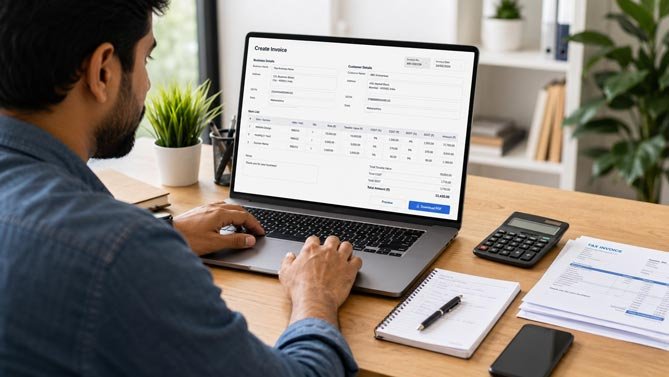
After reviewing everything, generate and download the invoice in PDF format.
You can then:
- Send it by email
- Share it on WhatsApp
- Print a physical copy
- Upload it to a customer portal
- Save it for your accounting records
You can create your invoice using Zenifin’s online invoice generator and save the completed bill as a professional document.
What Is a GST Invoice?
A GST invoice is a document issued by a GST-registered supplier for taxable goods or services.
It contains the normal details of a business transaction along with information related to GST.
A GST invoice may include:
- Supplier’s name and address
- Supplier’s GSTIN
- Customer’s name and address
- Customer’s GSTIN, where applicable
- Unique invoice number
- Invoice date
- Description of goods or services
- HSN or SAC code
- Quantity
- Unit price
- Taxable value
- GST rate
- CGST, SGST, or IGST amount
- Place of supply
- Total invoice value
- Payment details
- Authorised signature, where required
Using a GST invoice generator can make it easier to organise these details in a proper format.
However, businesses should still ensure that their invoices follow the latest GST requirements applicable to them.
Difference Between a Regular Invoice and a GST Invoice
A regular invoice mainly shows the details of a sale or service.
It normally includes:
- Seller information
- Customer information
- Product or service details
- Quantity
- Price
- Total amount
- Payment terms
A GST invoice contains additional tax-related information, such as:
- Seller’s GSTIN
- Customer’s GSTIN
- HSN or SAC code
- GST rate
- Taxable value
- CGST and SGST
- IGST
- Place of supply
A person or business that is not registered under GST should not charge GST without proper registration.
Therefore, check your registration status before creating a GST bill.
Benefits of Using a Free GST Bill Generator
It Saves Time
Creating an invoice manually requires formatting, calculation, and repeated data entry.
An online invoice generator speeds up the process by creating the layout and calculating totals automatically.
This allows you to focus more on your business instead of spending time designing invoices.
It Reduces Calculation Mistakes
Calculating the subtotal, tax, discount, and final amount manually can lead to errors.
An invoice generator can automatically calculate:
- Item totals
- Subtotal
- Discount
- Tax amount
- Additional charges
- Final payable amount
You should still review the final invoice, but automatic calculations can reduce common mathematical mistakes.
It Makes Your Business Look Professional
An invoice is not only a payment request. It is also a business document that represents your brand.
A clean and properly formatted invoice can create a better impression on customers.
Adding your logo, business name, contact details, and payment terms makes your invoice look organised and trustworthy.
It Is Easy to Use
You do not need to be an accountant or designer to use an online invoice generator.
Most tools are designed for beginners. You simply fill in the required fields and generate the invoice.
It Works on Different Devices
A web-based invoice generator can usually be accessed from a smartphone, tablet, laptop, or desktop computer.
This is helpful for professionals who work remotely or need to create invoices while travelling.
It Does Not Require Software Installation
Many traditional accounting programs require installation, setup, training, and a paid subscription.
An online invoice generator can be used directly from a browser.
This makes it suitable for people who need a simple and convenient billing solution.
It Makes Sharing Easier
Once your invoice is downloaded as a PDF, you can quickly share it through email, WhatsApp, Telegram, or another platform.
You can also store the file on Google Drive, Dropbox, your computer, or an external drive.
Who Can Use an Online Invoice Generator?
An online invoice generator can be useful for many types of professionals and businesses.
Freelancers
Freelance writers, graphic designers, video editors, developers, photographers, marketers, and consultants can create invoices for completed projects.
They can include service details, project charges, payment terms, and bank information.
Small Business Owners
Small businesses can use a free GST bill generator to prepare professional invoices without purchasing expensive billing software.
It can be useful for local shops, coaching centres, agencies, repair centres, and home-based businesses.
Online Sellers
People selling through websites, social media, or online marketplaces can create invoices for customer orders.
They can include product details, shipping charges, discounts, and taxes.
Service Providers
Electricians, technicians, tutors, repair professionals, event planners, and other service providers can generate bills for their work.
Consultants and Agencies
Consultants and agencies can create invoices for monthly retainers, marketing services, website development, design projects, advertising campaigns, or professional consultation.
Why PDF Is a Good Format for Invoices
PDF is one of the most commonly used formats for invoices because it keeps the document layout consistent.
A Word or Excel file may look different when opened on another device. A PDF usually maintains the same fonts, spacing, structure, and alignment.
PDF invoices are also:
- Easy to download
- Easy to print
- Easy to share
- Supported on most devices
- Less likely to be edited accidentally
- Simple to store for future records
That is why many businesses prefer to create invoices online and download them in PDF format.
Common Mistakes to Avoid While Creating an Invoice
One common mistake is using the same invoice number more than once. Always assign a unique number to every invoice.
Another mistake is entering an incorrect GST rate. Check the product or service category and select the correct tax rate.
Many businesses forget to add a due date. Without a clear deadline, customers may not know when the payment is expected.
Incorrect bank details can also delay payments. Review your account number, IFSC code, UPI ID, and account holder name carefully.
Avoid using unclear descriptions. Write the exact product or service provided instead of general terms.
You should also avoid sending the invoice without checking the customer’s name, GSTIN, price, tax amount, and total payable amount.
Tips for Creating Professional Invoices
Use the same invoice design and numbering format for every customer. Consistency makes your business appear more organised.
Add a clear payment due date instead of only mentioning the invoice date.
Use short and specific product or service descriptions.
Mention your payment terms clearly.
Keep a copy of every invoice you create.
Organise your invoices by month, financial year, customer name, or payment status.
Once a customer pays, mark the invoice as paid in your records.
You should also maintain a backup of important invoices so they are not lost if your device is damaged or replaced.
Frequently Asked Questions
Can I create an invoice online for free?
Yes. You can use an online invoice generator to enter your business details, add customer information, list products or services, calculate the total, and create an invoice.
Can I download the invoice as a PDF?
Yes. After completing the invoice, you can download it as a PDF and share it with your customer.
What is a free GST bill generator?
A free GST bill generator is an online tool that helps businesses create bills containing GST-related details such as GSTIN, tax rates, taxable value, CGST, SGST, and IGST.
Can freelancers use an invoice generator?
Yes. Freelancers can create invoices for writing, designing, marketing, development, consulting, photography, editing, and other services.
Can I generate an invoice from my mobile phone?
Yes. A mobile-friendly invoice generator can be used through a smartphone browser.
Is an invoice number required?
Every invoice should have a unique number. It helps with record management, payment tracking, and communication with customers.
Can I add a business logo?
Depending on the features available in the generator, you may be able to add your business logo to make the invoice look more professional.
Can I add discounts?
Yes. You may add a fixed or percentage-based discount and show it separately on the invoice.
Is GSTIN required on every bill?
GSTIN requirements depend on your GST registration status and the type of transaction. Registered businesses should follow the applicable invoicing rules. Non-registered businesses should not charge GST without proper registration.
What is the difference between CGST, SGST, and IGST?
CGST and SGST are generally applied to eligible transactions within the same state. IGST is generally applied to eligible interstate transactions. The exact treatment depends on applicable GST and place-of-supply rules.
Create Your Invoice Online Today
You do not need complicated accounting software to create a clean and professional invoice.
An online invoice generator can help you enter your business details, add customer information, calculate the total, include GST, and download the completed invoice as a PDF.
It can be useful for freelancers, small businesses, agencies, consultants, online sellers, shop owners, and service providers.
Before downloading the invoice, always check the invoice number, customer details, GST information, prices, taxes, payment details, and final amount.
To get started, visit the Zenifin free GST bill generator and create your invoice online in just a few simple steps.
Create your invoice, download the PDF, and share it directly with your customer.