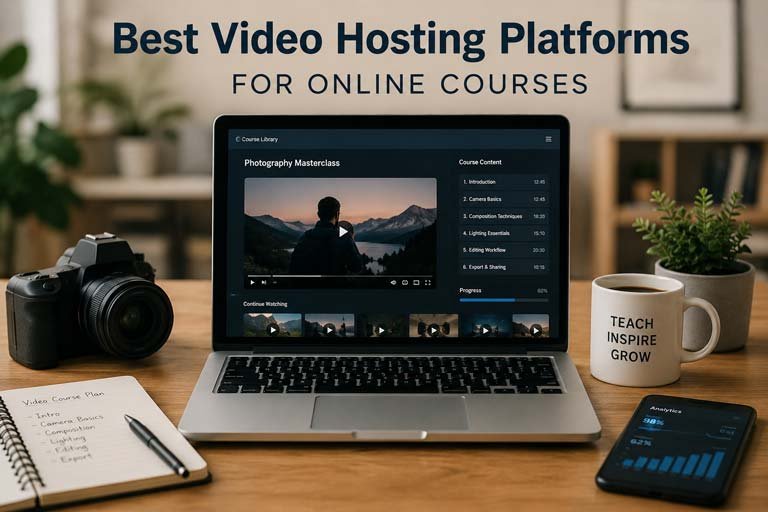
Creating and selling online courses has become one of the most effective ways to share knowledge and build a sustainable online business. Whether you’re teaching guitar, coding, fitness, photography, language skills, or business strategies, one thing remains essential: reliable video hosting.
The quality of your course videos can significantly impact the learning experience. Slow loading times, buffering issues, security concerns, and poor playback can frustrate students and reduce course completion rates. That’s why choosing the right video hosting platform is a critical decision for every course creator.
In this guide, we’ll explore the best video hosting platforms for online courses, compare their features, discuss pricing considerations, and help you choose the right solution for your needs.
Why Video Hosting Matters for Online Courses
Many beginners start by uploading videos to YouTube and embedding them into their course website. While this works initially, it often comes with limitations.
A dedicated video hosting platform provides:
- Faster video delivery
- Better video quality
- Enhanced security
- Custom branding options
- Analytics and engagement tracking
- Protection against unauthorized downloads
- Reliable performance during traffic spikes
For creators selling premium courses, professional video hosting is often worth the investment.
Features to Look for in a Video Hosting Platform
Before selecting a platform, consider the following features:
Video Security
Protecting your course content should be a top priority. Look for features such as:
- Domain restrictions
- Tokenized URLs
- Password protection
- DRM support
- Download prevention
Global Content Delivery Network (CDN)
A CDN helps deliver videos quickly to students regardless of their location. This improves playback performance and reduces buffering.
Adaptive Streaming
Adaptive streaming automatically adjusts video quality based on the user’s internet connection, ensuring smooth playback.
Analytics
Analytics can help you understand:
- Watch time
- Student engagement
- Drop-off points
- Geographic locations of viewers
Custom Player
A customizable video player allows you to match your course branding and create a more professional learning experience.
Affordable Pricing
As a beginner, it’s important to find a platform that balances features and affordability.
1. Bunny Stream
Website: https://bunny.net/stream/
Bunny Stream has become one of the most popular video hosting solutions for course creators.
Pros
- Affordable pay-as-you-go pricing
- Fast global CDN
- Video protection features
- Customizable player
- API access
- Reliable performance
Cons
- Slight learning curve for beginners
- Requires basic setup
Best For
Course creators, membership websites, coaches, and educators looking for a cost-effective solution.
Why Creators Like Bunny Stream
Unlike many competitors that charge high monthly fees, Bunny Stream allows creators to pay based on actual usage. This makes it particularly attractive for small businesses and new course creators.
2. Cloudflare Stream
Website: https://www.cloudflare.com/products/cloudflare-stream/
Cloudflare Stream simplifies video hosting while leveraging Cloudflare’s global infrastructure.
Pros
- Simple pricing structure
- Excellent performance
- Automatic video optimization
- Built-in encoding
- Developer-friendly
Cons
- Fewer customization options
- Limited marketing-focused features
Best For
Developers and businesses that already use Cloudflare services.
Why It’s Popular
Cloudflare’s network is known for speed and reliability, making Stream a strong choice for educational platforms.
3. Vimeo
Website: https://vimeo.com
Vimeo has long been a favorite among professionals and educators.
Pros
- Professional video player
- Easy embedding
- Strong privacy controls
- Team collaboration tools
- Detailed analytics
Cons
- More expensive than alternatives
- Bandwidth limits on some plans
Best For
Businesses, agencies, coaches, and established educators.
Key Advantage
Vimeo’s polished user experience makes it one of the easiest platforms for non-technical users.
4. Wistia
Website: https://wistia.com
Wistia focuses heavily on video marketing and viewer engagement.
Pros
- Excellent analytics
- Lead generation tools
- Professional player
- Strong branding options
Cons
- Higher pricing
- Not ideal for large video libraries
Best For
Businesses using video for both education and marketing.
Standout Feature
Wistia allows creators to collect leads directly through videos, making it valuable for marketing funnels.
5. YouTube (Unlisted Videos)
Website: https://www.youtube.com
Many course creators begin with YouTube because it’s free.
Pros
- Completely free
- Unlimited bandwidth
- Easy setup
- Reliable infrastructure
Cons
- Limited customization
- YouTube branding
- Potential distractions
- Less content protection
Best For
Beginners testing a course idea.
Is YouTube Enough?
For new creators with a limited budget, YouTube can work. However, as your course business grows, dedicated hosting becomes increasingly important.
Also Read: Top 10 Best Free VPN Apps for Android6. Amazon S3 with CloudFront
Website: https://aws.amazon.com/s3/
Amazon S3 combined with CloudFront provides enterprise-level scalability.
Pros
- Highly scalable
- Reliable infrastructure
- Global delivery
- Pay-as-you-go pricing
Cons
- Technical setup required
- Not beginner-friendly
Best For
Large course platforms and software companies.
When to Use It
If you have technical expertise and want maximum control over your video delivery infrastructure.
7. Vidyard
Website: https://www.vidyard.com
Vidyard is often used by businesses for video communication and training.
Pros
- Strong analytics
- Team management
- Secure hosting
- Good playback performance
Cons
- Business-focused pricing
- Less popular among solo creators
Best For
Corporate training and internal education programs.
Comparing Popular Video Hosting Platforms
| Platform | Beginner Friendly | Security | Analytics | Pricing |
|---|---|---|---|---|
| Bunny Stream | High | Excellent | Good | Affordable |
| Cloudflare Stream | Medium | Excellent | Good | Affordable |
| Vimeo | High | Very Good | Excellent | Moderate |
| Wistia | High | Good | Excellent | Expensive |
| YouTube | Very High | Basic | Basic | Free |
| Amazon S3 | Low | Excellent | Limited | Variable |
| Vidyard | Medium | Good | Good | Moderate |
Which Video Hosting Platform Is Best for Beginners?
For most new course creators, the decision usually comes down to three options:
Lowest Budget: YouTube
If you’re launching your first course and want to avoid hosting costs, YouTube is the easiest starting point.
Best Value: Bunny Stream
Bunny Stream offers an excellent balance between affordability, performance, and security.
Easiest Premium Solution: Vimeo
If you want a polished experience without technical complexity, Vimeo remains a solid choice.
How Video Hosting Affects Student Experience
Students expect smooth and professional course delivery. Poor hosting can result in:
- Increased refund requests
- Lower completion rates
- Negative reviews
- Reduced engagement
Fast-loading videos improve the overall learning experience and help build trust with your audience.
Security Tips for Online Course Videos
Regardless of the platform you choose, consider implementing these best practices:
Use Domain Restrictions
Only allow videos to play on your course website.
Disable Downloads
Prevent unauthorized distribution of your content.
Use Private Links
Avoid sharing public video URLs.
Watermark Premium Content
Visible branding can discourage content theft.
Monitor Analytics
Track unusual viewing behavior that may indicate account sharing.
How Much Should You Spend on Video Hosting?
The answer depends on your stage of growth.
Beginners
Monthly budget: $0–$20
Recommended platforms:
- YouTube
- Bunny Stream
Growing Course Creators
Monthly budget: $20–$100
Recommended platforms:
- Bunny Stream
- Vimeo
- Cloudflare Stream
Established Businesses
Monthly budget: $100+
Recommended platforms:
- Vimeo
- Wistia
- Amazon S3
- Cloudflare Stream
Future Trends in Video Hosting
Video hosting technology continues to evolve. Some emerging trends include:
- AI-powered video analytics
- Interactive video learning
- Enhanced video security
- Personalized learning experiences
- Automatic captions and translations
- Faster global streaming networks
Creators who invest in reliable video infrastructure today will be better positioned to scale their businesses in the future.
Final Thoughts
Choosing the right video hosting platform is one of the most important decisions for any online course creator. While free solutions like YouTube are useful for getting started, dedicated platforms provide better security, performance, branding, and student experience.
For most creators launching an online course in 2026, Bunny Stream offers one of the best combinations of affordability and features. Vimeo remains a strong premium choice, while Cloudflare Stream is ideal for those seeking a scalable and developer-friendly solution.
The best platform ultimately depends on your budget, technical skills, and business goals. Start with a solution that fits your current needs and upgrade as your audience and revenue grow.
By investing in quality video hosting, you’ll create a smoother learning experience, protect your content, and build a stronger foundation for your online education business.