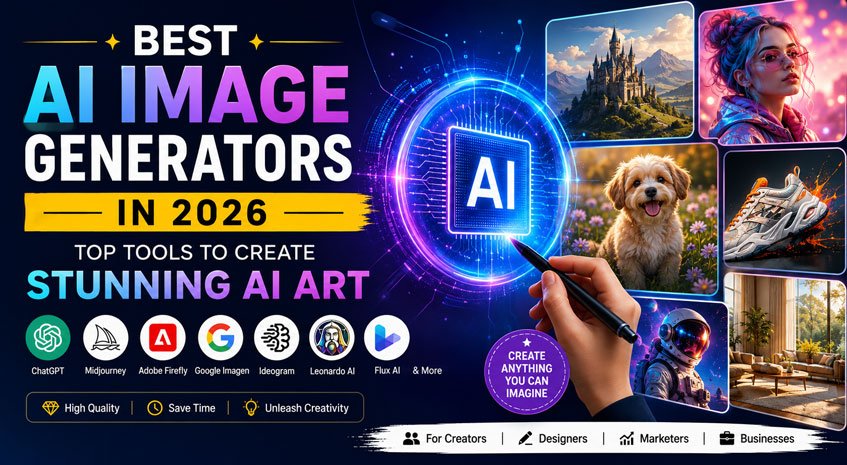
Artificial Intelligence has completely transformed the way we create images. Just a few years ago, designing professional artwork required advanced graphic design skills and expensive software. Today, anyone can create stunning illustrations, realistic photos, product mockups, social media graphics, logos, wallpapers, and marketing creatives simply by describing an idea in words.
Whether you’re a content creator, YouTuber, blogger, digital marketer, entrepreneur, student, or designer, AI image generators can help you produce high-quality visuals within seconds.
The biggest challenge isn’t finding an AI image generator anymore—it’s choosing the right one. With dozens of options available, each offers different strengths. Some specialize in photorealistic images, while others excel at typography, illustrations, or commercial design.
In this detailed guide, we’ll compare the best AI image generators available in 2026, highlighting their features, pricing, strengths, weaknesses, and ideal use cases.
Quick Comparison Table
| AI Tool | Best For | Free Plan | Quality | Ease of Use |
|---|---|---|---|---|
| ChatGPT | All-around image creation | Yes | ⭐⭐⭐⭐⭐ | ⭐⭐⭐⭐⭐ |
| Midjourney | Artistic images | No | ⭐⭐⭐⭐⭐ | ⭐⭐⭐ |
| Google Imagen | Realistic photos | Yes | ⭐⭐⭐⭐⭐ | ⭐⭐⭐⭐⭐ |
| Adobe Firefly | Commercial graphics | Yes | ⭐⭐⭐⭐⭐ | ⭐⭐⭐⭐⭐ |
| Ideogram | Images with text | Yes | ⭐⭐⭐⭐⭐ | ⭐⭐⭐⭐⭐ |
| Leonardo AI | Game assets | Yes | ⭐⭐⭐⭐⭐ | ⭐⭐⭐⭐ |
| Flux AI | Open-source generation | Yes | ⭐⭐⭐⭐⭐ | ⭐⭐⭐⭐ |
| Playground AI | Beginners | Yes | ⭐⭐⭐⭐ | ⭐⭐⭐⭐⭐ |
1. ChatGPT Image Generation
ChatGPT has become one of the most popular AI image generators thanks to its impressive image quality, natural conversation-based editing, and ease of use.
Instead of repeatedly writing prompts, users can simply describe what they want and ask for changes naturally.
For example:
- Make the background darker.
- Add cinematic lighting.
- Remove the people.
- Change the style to watercolor.
- Turn it into a YouTube thumbnail.
This conversational workflow makes image creation much faster than traditional prompt engineering.
Best Features
- Extremely easy to use
- Excellent prompt understanding
- Image editing support
- Logo concepts
- Social media graphics
- Product mockups
- Posters
- Marketing creatives
- Photorealistic images
- Cartoon illustrations
- Anime styles
Pros
- Beginner-friendly
- Excellent image quality
- Fast editing
- Natural conversations
- Great for marketing
Cons
- Usage limits on free plans
- Some advanced controls are limited
Best For
- Bloggers
- Businesses
- Designers
- YouTubers
- Content creators
2. Midjourney
Midjourney is widely considered one of the best AI image generators for artistic visuals. It produces highly detailed artwork with beautiful lighting, textures, and compositions.
It is especially popular among concept artists, digital illustrators, and creative professionals.
Strengths
- Beautiful artistic styles
- Excellent composition
- Amazing lighting
- Detailed textures
- Creative outputs
Weaknesses
- Learning curve
- No generous free plan
- Less suitable for text-heavy graphics
Best For
- Fantasy artwork
- Concept art
- Wallpapers
- Album covers
- Digital painting
3. Google Imagen
Google’s Imagen model has made huge improvements in realism and prompt understanding.
It performs exceptionally well for realistic portraits, landscapes, architecture, and product photography.
One of its biggest strengths is accurately following complex prompts.
Features
- Photorealistic images
- Excellent lighting
- Better prompt accuracy
- Fast generation
- High-resolution output
Best For
- Product images
- Advertising
- Website banners
- Blog illustrations
- Professional photography
4. Adobe Firefly
Adobe Firefly is designed specifically for creators and professionals who already use Adobe Creative Cloud.
Unlike many AI tools, Firefly is built around commercially safe content generation.
Key Features
- Commercial-safe outputs
- Photoshop integration
- Illustrator integration
- Generative Fill
- Text effects
- Background replacement
- Image expansion
Pros
- Business-friendly
- Excellent editing
- Professional workflow
- High-quality graphics
Best For
- Graphic designers
- Marketing agencies
- Businesses
- Print design
5. Ideogram
If you’ve ever struggled to create AI images with readable text, Ideogram is one of the best solutions available.
Most AI image generators distort letters, but Ideogram produces significantly better typography.
Great For
- Posters
- Flyers
- YouTube thumbnails
- Logos
- Quotes
- Social media graphics
Pros
- Excellent text rendering
- Easy interface
- Fast generation
- Great designs
6. Leonardo AI
Leonardo AI has become a favorite among game developers and digital artists.
It offers a wide range of fine-tuned models specifically optimized for gaming assets.
Features
- Character creation
- Environment generation
- Weapons
- Game icons
- Fantasy creatures
- Texture generation
Best For
- Game developers
- NFT creators
- Illustrators
- Concept artists
7. Flux AI
Flux AI has quickly gained attention due to its impressive image quality and open model ecosystem.
Many creators use Flux because it offers exceptional realism while allowing developers to build custom workflows.
Pros
- High realism
- Open ecosystem
- Excellent detail
- Strong prompt following
Best For
- Developers
- Businesses
- Researchers
- Creative professionals
8. Playground AI
Playground AI is one of the easiest platforms for beginners.
It combines simplicity with powerful editing tools, making it ideal for users who don’t want a steep learning curve.
Features
- Magic editing
- Canvas mode
- Image inpainting
- Object removal
- Easy interface
Free vs Paid AI Image Generators
Many beginners wonder whether they should choose a free AI image generator or pay for a premium subscription.
Free tools are excellent for learning, experimenting, and creating occasional images. They usually come with daily generation limits, slower speeds, or fewer editing features.
Paid plans unlock faster image generation, higher-resolution downloads, priority access during busy periods, commercial usage rights, and advanced editing options. If you create content regularly for YouTube, social media, marketing campaigns, or client work, upgrading to a paid plan can save significant time and improve consistency.
For hobbyists and students, free plans are often more than enough. Professionals, agencies, and businesses will usually benefit from the additional features available in paid subscriptions.
How to Choose the Best AI Image Generator
Before selecting an AI image generator, think about your primary goal.
If you create YouTube thumbnails, marketing banners, or social media posts, you’ll want a tool that understands prompts well and allows easy editing.
Graphic designers may prefer software that integrates with professional design tools.
Artists should prioritize image quality, creativity, and style diversity.
Businesses should look for commercial licensing and consistent results.
Consider these factors before choosing:
- Image quality
- Prompt understanding
- Editing capabilities
- Commercial usage rights
- Speed
- Pricing
- Free credits
- API availability
- Community support
- Ease of use
AI Image Generator Use Cases
AI image generators are now used across many industries.
Common applications include:
- YouTube thumbnails
- Blog featured images
- Website banners
- Social media posts
- Product photography
- Book covers
- Marketing advertisements
- Mobile app screenshots
- Children’s books
- Comics
- Digital paintings
- Business presentations
- Product mockups
- Logos
- Posters
- T-shirt designs
- Wallpaper creation
- NFT artwork
- Character design
- Educational graphics
The versatility of these tools makes them valuable for individuals and businesses alike.
Also Read: Best Video Hosting Platforms for Online Courses in 2026Tips for Better AI Images
Getting impressive results depends heavily on how you describe your idea.
Instead of writing a short prompt like “a dog,” provide more detail.
For example:
“Ultra-realistic golden retriever sitting in a flower field during golden hour, cinematic lighting, shallow depth of field, 85mm photography, highly detailed fur, natural colors.”
Adding information about lighting, camera angle, style, color palette, mood, composition, and quality often leads to significantly better outputs.
Experiment with different descriptions and refine your prompts based on the generated results. Many AI tools also let you edit images after generation, making it easier to achieve the exact look you want.
Frequently Asked Questions
Which AI image generator is best overall?
ChatGPT is an excellent all-around choice because it combines high-quality image generation with conversational editing. It works well for creators, businesses, and beginners.
Which AI image generator is best for realistic images?
Google Imagen and Flux AI are among the strongest options for photorealistic visuals.
Which AI tool is best for artwork?
Midjourney remains a top choice for artistic illustrations, fantasy scenes, and creative digital art.
Which AI image generator is best for text?
Ideogram is widely recognized for producing images with clear and readable typography.
Are AI-generated images copyright-free?
Copyright rules vary depending on the platform and your local laws. Always review the licensing terms of the specific AI tool before using images commercially.
Can I use AI images for my business?
Many AI image generators allow commercial use, but the exact permissions differ by platform and subscription plan. Always verify the licensing terms before publishing or selling AI-generated content.
Final Verdict
AI image generators have become powerful creative tools that can dramatically speed up design workflows and reduce production costs. Whether you need artwork, marketing graphics, realistic product photos, or eye-catching social media visuals, there is an AI solution that fits your needs.
For most users, ChatGPT offers the best balance of ease of use, image quality, and editing flexibility. If artistic expression is your priority, Midjourney remains a standout choice. Businesses looking for commercially focused workflows may prefer Adobe Firefly, while Ideogram excels when your images require accurate text.
The best approach is to experiment with a few platforms and choose the one that matches your creative goals, budget, and workflow. As AI technology continues to improve, these tools will become even more capable, making professional-quality image creation accessible to everyone.